Master WordPress skills
Become a Web Developer Without Any Coding or Programming Skills
Advantages of this Course
👉 No prior experience needed! Start building your WordPress skills from scratch and progress at your own pace with easy-to-follow instructions.
👉 Master Professional Web Design Techniques to make your websites stand out from the competition.
👉 Uncover common mistakes that may be holding you back from creating beautiful, functional websites.
👉 Get hands-on with WordPress, the world’s most popular website-building platform, used by top brands like TechCrunch, BBC, and The New York Times.
👉 Learn how to use WordPress like a pro, whether you’re just getting started or looking to level up your web design skills.
👉 Gain in-demand skills that can help you land freelance gigs, full-time web development jobs, or even launch your own website-building business.
Transform Your Career, Unlock High-Paying Jobs, Business Growth, or Freelance Success
Who should enroll in this course?
Aspiring Website Designers
Small Business Owners
Freelancers & Entrepreneurs
Travel vloggers
Students aiming to launch a successful career in website designing.
Freelancers
Perfect for individuals aiming to switch and earn additional income.
You can build stunning, professional-quality websites to grow your brand, land freelance gigs, or start a career in web design—without hiring expensive developers or spending countless hours figuring it out on your own.
Discover the step-by-step system that helped me create beautiful websites and build a thriving web design business.
No prior technical knowledge or coding skills are needed!
Yes, it’s that simple!
Here’s what you’ll learn inside…
What will you learn?
Module 1: Introduction to Websites and WordPress
Lecture 1: What is a Website and Why Do People Invest Thousands in It?
Lecture 2: What is WordPress and Why is it the Best Choice for Building Websites?
Lecture 3: What Are the Essential Requirements to Build a Website and How Does it Actually Work?
Module 2: Setting Up Your Development
Lecture 4: Setting Up and Installing a Local Server
Lecture 5: Step-by-Step Guide to Installing WordPress
Module 3 : Customizing Your WordPress website
Lecture 6: Introduction to WordPress Themes and How to Install a Theme
Lecture 7: Understanding WordPress Plugins and How to Install a Plugin
Lecture 8: How to Create Webpages and Menus
Lecture 9: Basic WordPress Settings
Module 4: Designing Your website
Lecture 10: Understanding containers and heading element with its all settings
Lecture 11: Understanding Elementor new interface
Lecture 12: Creating real heading, image, and button element
Lecture 13: Understanding image box and container hover effect
Lecture 14: Duplicating and copying/pasting elements
Lecture 15: Finding background color using inspect tool
Lecture 16: Creating the testimonials section
Module 5 : Building Key Pages and site
Lecture 17: Creating content for the About Us page
Lecture 18: Creating content for the Services page
Lecture 19: Creating content for the Contact page: Contact Form using WP Forms
Lecture 20: Creating content for the Contact page: Contact Info with Icons
Lecture 21: Creating content for the Contact page: Embedding Google Maps
Module 6 : Blogging with WordPress site
- Lecture 22: Writing a Blog post and shows on the Blog Page
Module 7 : Finalizing Your website Design
Lecture 23: Designing a logo without Photoshop and setting up the header
Lecture 24: How to set up the footer
Module 8 : Essential Elements to use
Lecture 25: Animating the elements
Lecture 26: Creating a banner slider
Lecture 27: Creating a FAQ section using tabs and accordion
Lecture 28: Preparing the portfolio page
Module 9 : Going Live: Shifting Website from Local Server to Live Server on website
Lecture 29: Purchasing a Live Web Hosting Server
Lecture 30: Acquiring a Domain Name, Installing WordPress, and Managing Backup and Restoration
Module 10 : Free Bonus
- Free Google ads course
- Free Meta ads course
10 Hours of Instructional Videos
15-Day Refund Policy
1500+ Enrolled
24*7 Support
Get Certified
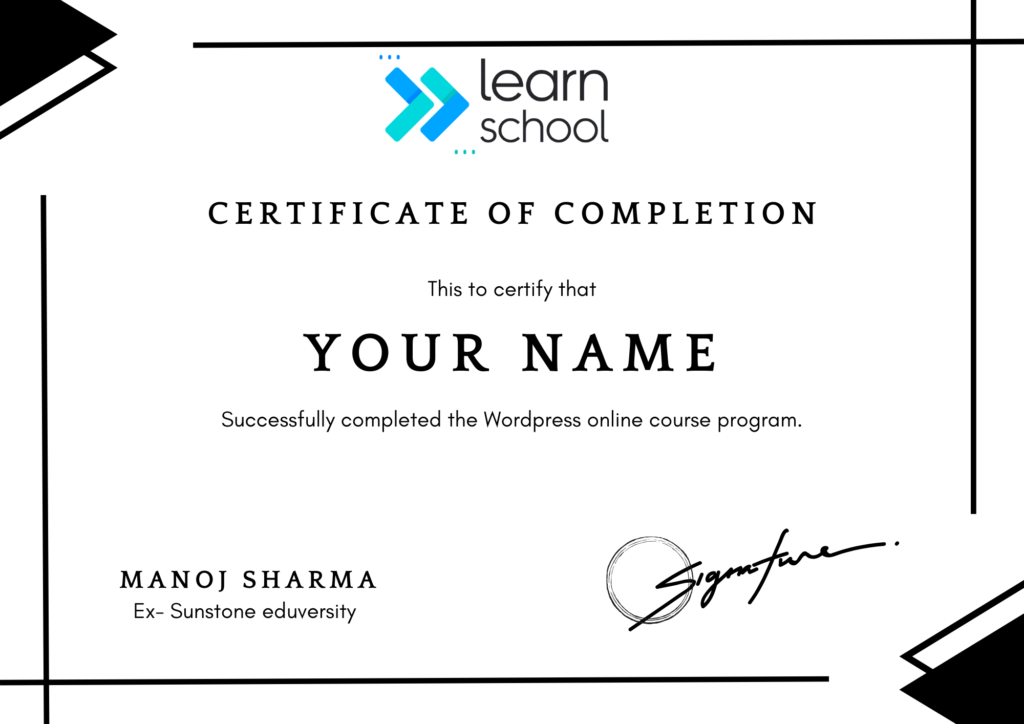
Upon successfully completing the course, you’ll receive a certification from LearnSchool, a prestigious institution known for its credibility. This certificate will enhance your resume and add significant value to your professional qualifications.
What Else You Are Going To Learn...
Learn how to design and develop websites without any coding skills.
Discover how to purchase a domain name and secure web hosting.
Master the art of creating pages and menus with ease.
Learn how to embed Google Maps on your website for better user experience.
Understand how to back up your website to keep it secure.
Launch your website online in just a few simple steps.
Learn how to start and grow your own home-based web design business.
Add engaging animations to your webpages to make them stand out.
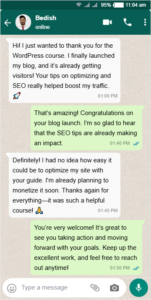
Still not sure? Look What My Students Got To Say!
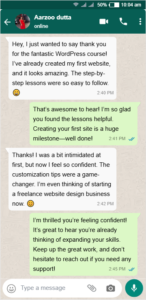

Aarzoo dutta

Bedish rajkumar

Amit sharma

Jyoti hanshi
Grab FREE courses Worth ₹3000
Google Ads course
Master Google Ads to drive targeted traffic, boost conversions, and grow your business with precision. Learn powerful tools for effective ad campaigns that deliver measurable results.
Worth ₹1500/- FREE
Meta Ads course
Unlock the secrets of creating effective Meta Ads campaigns to drive traffic, generate leads, and boost sales. Learn how to target the right audience, craft compelling ads.
Worth ₹1500/- FREE
ZERO RISK FOR YOU
15-Day No-Questions-Asked Refund Guarantee
You have a full 15 days to “test drive” our course, risk-free.
If you’re not satisfied, we’ll give you a full refund. No questions asked!
Take the leap and click the button below to start your journey toward success today!
Course details
WordPress Course Launch Offer 🎉 (Save ₹3000)
Unlock the Secrets of Professional Web Design in Just a Few Days! 🚀
🎯 Limited Time Offer: Only ₹499/- 💸 Save ₹3000 Today! ⏰ Hurry – Offer Ends Tonight (24th Nov, 2024)!
Learn from industry experts and take your web design skills to the next level. Build stunning websites with ease and unlock your potential as a professional web designer. Don’t miss out on this unbeatable price!
👉 Enroll Now and Save Big!
Price of the Course
₹499₹2999
“You DON’T need any prior experience to master wordpress. Over 1500 professionals have successfully learned this skill through our Masterclass!”
Frequently Asked Questions
No, absolutely no prior experience is needed! This course is designed for beginners and walks you through every step, from setting up WordPress to launching your website.
You’ll learn how to design and develop websites without coding, purchase a domain and web hosting, create pages and menus, add animations, embed Google Maps, create inquiry forms, back up your site, and launch it on the internet.
All you need is a computer with internet access. You’ll be using WordPress, a free platform, along with some additional free tools for customization.
Absolutely! Our instructor is here to support you every step of the way through our instructor chat support feature.
Anyone can join this course.
English and Hindi
For any support, please whatsapp us @ 8920424873. Our support team will get back to you within 24 hours.
This site is not a part of the Facebook™ website or Facebook™ Inc. Additionally, This site is NOT endorsed by Facebook™ in any way. FACEBOOK™ is a trademark of FACEBOOK™, Inc. As stipulated by law, we can not and do not make any guarantees about your ability to get results or earn any money with our ideas, information, tools or strategies. We just want to help you by giving great content, direction and strategies that worked well for us and our students and that we believe can move you forward. All of our terms, privacy policies and disclaimers for this program and website can be accessed via the link above. We feel transparency is important and we hold ourselves (and you) to a high standard of integrity. Thanks for stopping by. We hope this training and content brings you a lot of value.
Privacy Policy | Terms and Conditions | Return And Refund Policy | Disclaimer
Copyright © 2024 Learn School